Follow markets and see what changed
Following works like a watchlist for stocks. You star the markets you care about, and the Following page shows their odds now, how far each has moved since you followed it, what has settled and the news about them.
#Follow a market
- Find a market. Every market card has a star at its top right, and a market's own page has a Follow button beside its title.
- Select the star or Follow. The star fills in, the button reads Following, and a short message such as "Following Recession this year?" appears.
- To stop, select it again. The message says you stopped following it.
If Saved preferences is off, the first time you follow something a box asks you to turn it on. Your list is kept in this browser, which needs cookies.
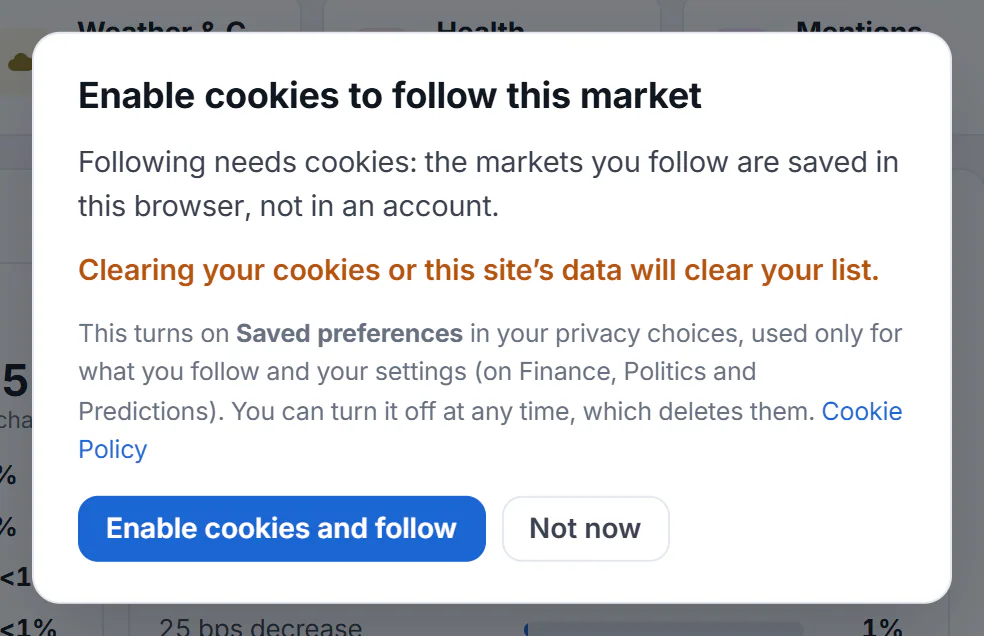
The box that appears the first time you follow a market with Saved preferences off.
- 1What turning it on does
- 2Turn on Saved preferences and follow
- 3Leave it off
Select Enable cookies and follow to turn on Saved preferences and follow the market, or Not now to leave things as they are. See Saved preferences.
#Open your list
Select Following in the row of Predictions pages. Once you follow something, a small number beside it shows how many markets you follow. The overview also gets a Following box in its right-hand column, with an All › link.
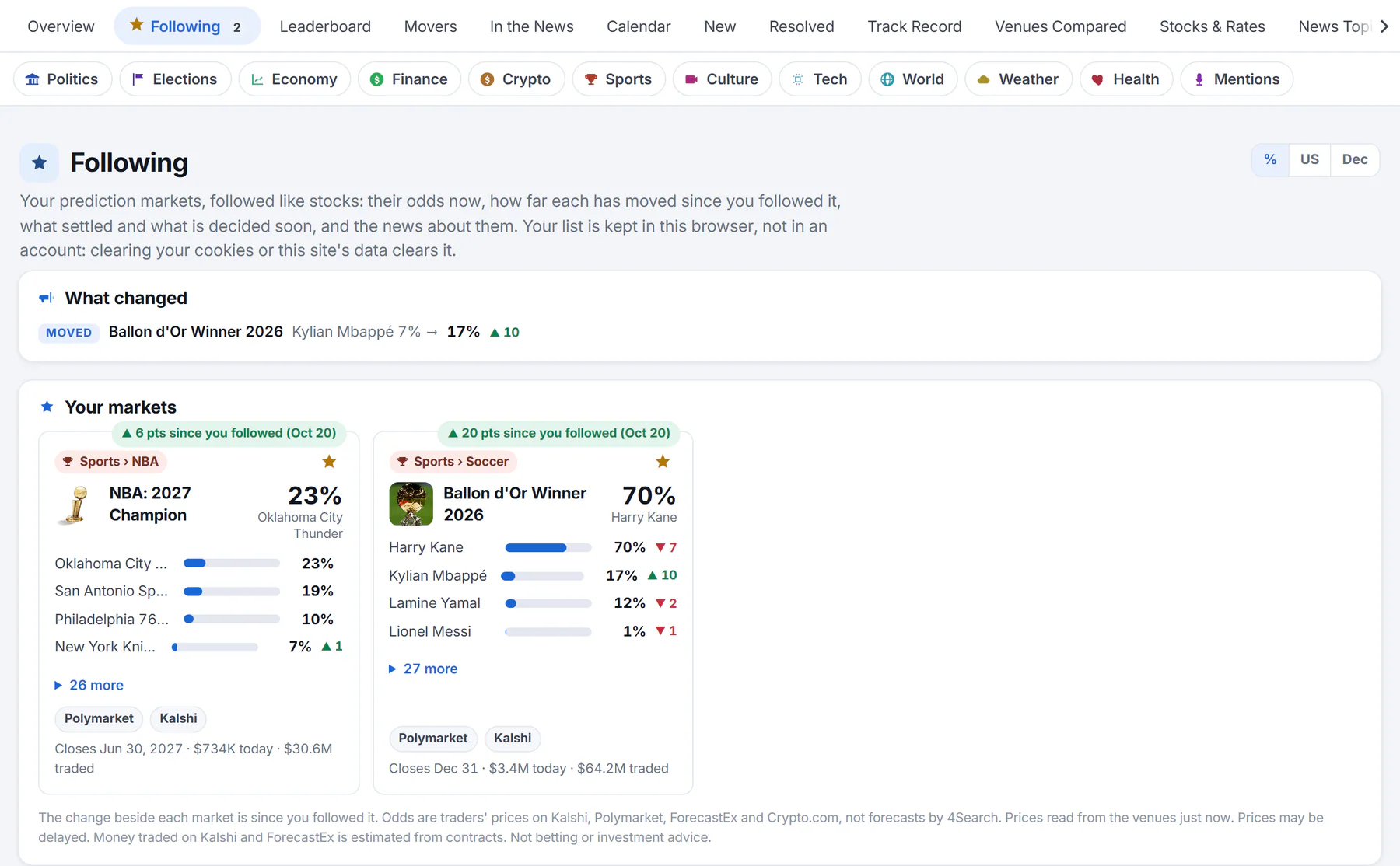
The Following page with two markets followed. A label above each card says how far its chance has moved since you followed it.
- 1Following, with a count
- 2What changed
- 3Change since you followed it
- 4Select the star again to stop following
The page has these parts:
- What changed lists what you may want to look at first: markets that Moved by five points or more today, markets that Settled with their result, and markets that are decided Soon, within two days.
- Your markets shows a card for each market, the one you followed last first. The label above a card, such as ▲ 6 pts since you followed (Oct 20), compares today's leading chance with the chance on the day you followed. It says Unchanged when nothing has moved.
- News about what you follow lists headlines about the subjects of the markets at the top of your list.
- Suggestions to follow offers some markets to start with, each with a star.
A card on your list is the same card as everywhere on Predictions. See How to read prediction market odds.
#Where your list is kept
Your list is kept in this browser, not in an account, and only when Saved preferences is on. That means:
- It does not move to your other devices or browsers.
- Clearing your cookies and this site's data, or turning off Saved preferences, deletes it.
- Following needs JavaScript, because the page reads your list from the browser.
You can follow up to 100 markets. At the limit, the page asks you to stop following one first. If a market you followed is no longer listed, the page says so and offers Remove from your list.
#Common questions
Why did a box ask me to enable cookies?
Your list is saved in your browser, and 4Search keeps things like that only when you allow the optional Saved preferences choice. The box turns it on for you. Choose Not now and nothing is saved.
Can I follow a market on my phone and see it on my computer?
No. The list is in one browser. Follow it again where you want to see it.
Why does a card say Unchanged?
The leading chance is the same as on the day you followed the market. The label compares the chance now with the chance when you followed it.
What happens when a market settles?
It stays on your list, shown as settled with its result in What changed. Remove it with the star when you are done with it.